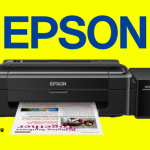
Ink tank printers are becoming increasingly popular because they offer low printing costs and are suitable for homes, schools, offices, and businesses. However, many customers purchase an ink tank printer without knowing that it requires regular use and proper maintenance.
Unlike traditional cartridge printers, ink tank printers use a continuous ink delivery system. If the printer is left unused for a long period, the ink can dry or become difficult to flow through the ink system. This can eventually result in blocked printheads, poor print quality, missing colours, or the need for professional maintenance.
At D & K Trading, we recommend that every ink tank printer owner follow a few simple practices to keep the printer working properly.
The most important rule is simple:
Do not leave your ink tank printer unused for a long period.
Even if you do not have a large amount of printing to do, it is a good idea to print something regularly. Long periods without printing can allow ink to dry around the printhead and ink-flow system.
For home users who print only occasionally, we recommend printing a small colour document or test page regularly.
Regular use helps keep ink flowing through the printhead and reduces the possibility of the ink nozzles becoming blocked.
If a printer is left unused for weeks or months, you may eventually notice:
In some cases, professional servicing may be required to restore the printer.
Always keep an eye on the ink levels.
Running an ink tank printer with very low or empty ink can cause problems with the ink delivery system. Some printers may also require additional procedures to remove air from the ink system after the ink has completely run out.
Refill the ink before the level becomes critically low.
However, do not overfill the tanks. Always follow the manufacturer's recommended filling level.
Using the correct ink is very important.
Different printers are designed to work with specific types of ink. Using incorrect, poor-quality, or unsuitable ink can affect print quality and may cause problems with the printhead and ink system.
We recommend using genuine manufacturer-recommended ink whenever possible.
For example, do not assume that any black ink or colour ink will work correctly in every ink tank printer. The ink formulation can vary between printer models and manufacturers.
Avoid mixing different brands or types of ink in the same tank unless the manufacturer or a qualified service provider confirms that they are compatible.
Mixing incompatible inks can sometimes cause:
If you want to change the type or brand of ink, it is better to obtain professional advice first.
Dust and paper particles can accumulate around the printer and paper-feed system.
Keep the printer in a clean and reasonably dust-free location. Clean the exterior and accessible areas regularly using appropriate methods recommended by the manufacturer.
Do not pour or spray cleaning liquids directly into the printer.
Also, keep the printer away from excessive heat, moisture, and direct sunlight.
Paper quality can also affect the performance of your printer.
Use paper that is suitable for your printer and the type of printing you are doing. Poor-quality, damp, or damaged paper can cause:
Store your printing paper in a dry place.
Modern ink tank printers normally include maintenance functions such as:
These functions can be useful when print quality starts to deteriorate.
However, do not perform cleaning cycles unnecessarily.
Printhead cleaning uses ink. Repeated cleaning without identifying the actual problem can consume a significant amount of ink and may not solve a serious blockage.
A good practice is to first perform a nozzle check. If the nozzle pattern shows missing lines or colours, follow the manufacturer's recommended cleaning procedure.
If the problem continues after the recommended cleaning process, contact a qualified service provider.
When finishing your printing, use the printer's Power button and allow the printer to complete its shutdown process.
Do not frequently disconnect the power cable while the printer is operating.
Correct shutdown allows the printer to perform its normal parking and maintenance process.
If you notice that the printer is producing poor-quality prints, do not continue printing for a long time hoping that the problem will disappear.
Check the following first:
If the problem continues, arrange a service inspection.
Early attention can sometimes prevent a small maintenance issue from becoming a major repair.
Many printer problems become expensive because they are ignored for a long time.
For example, a customer may notice that one colour is not printing correctly but continue using the printer for several weeks or months. By the time the printer is brought to a service centre, the ink system or printhead may require more extensive attention.
Regular maintenance and correct usage can help extend the useful life of your printer.
There is no single printing schedule that is suitable for every printer model or user. However, if you use an ink tank printer at home or in a small office, regular printing is strongly recommended rather than leaving the printer unused for long periods.
If you rarely use your printer, consider creating a simple reminder to perform a small print job periodically.
The exact maintenance requirements can vary depending on the printer manufacturer and model, so always follow the instructions in your printer's user manual.
Here are some common mistakes that can lead to printer problems:
❌ Leaving the printer unused for a long time
❌ Allowing the ink tank to become completely empty
❌ Using unsuitable or poor-quality ink
❌ Mixing different inks without checking compatibility
❌ Repeatedly performing printhead cleaning unnecessarily
❌ Using poor-quality or damp paper
❌ Ignoring missing colours or lines in prints
❌ Disconnecting the printer from power while it is operating
❌ Trying to repair complicated ink-system problems without proper knowledge
If your printer has already developed an ink-flow or printhead blockage, do not repeatedly run cleaning cycles without understanding the problem.
The correct solution depends on the printer model and the cause of the blockage.
A professional technician can inspect the printer and determine whether the problem is related to:
Professional servicing may be required when normal manufacturer-recommended maintenance does not resolve the issue.
An ink tank printer is designed to provide economical and reliable printing, but proper usage is important for maintaining its performance.
The simple habits of using the printer regularly, keeping sufficient ink, using the correct ink and paper, following the manufacturer's maintenance instructions, and responding quickly to print-quality problems can help reduce unnecessary maintenance and repair costs.
If you are planning to purchase an ink tank printer, or if your existing printer is experiencing printing or ink-flow problems, it is always better to obtain professional advice before the problem becomes more serious.
D & K Trading – Printer Sales, Service & Repair
🌐 Website: https://dandk.lk/
📞 Phone: 071 408 6406
📍 Address: 479/6, Bodiya Road, Thalahena, Malabe
Visit our website for more information about our printer products and services:
Visit D & K Trading – dandk.lk
Take care of your printer today to avoid unnecessary repairs tomorrow.